
Use LinkBit from a chat
A chat can shorten links after you give it a key. Make the key on this site first. Then install the tool and paste the key inside the chat app. The button on this page cannot hold your key.
Connect a chat
1. Make a key on this website
Do this before you click any install button.
- Sign up or sign in.
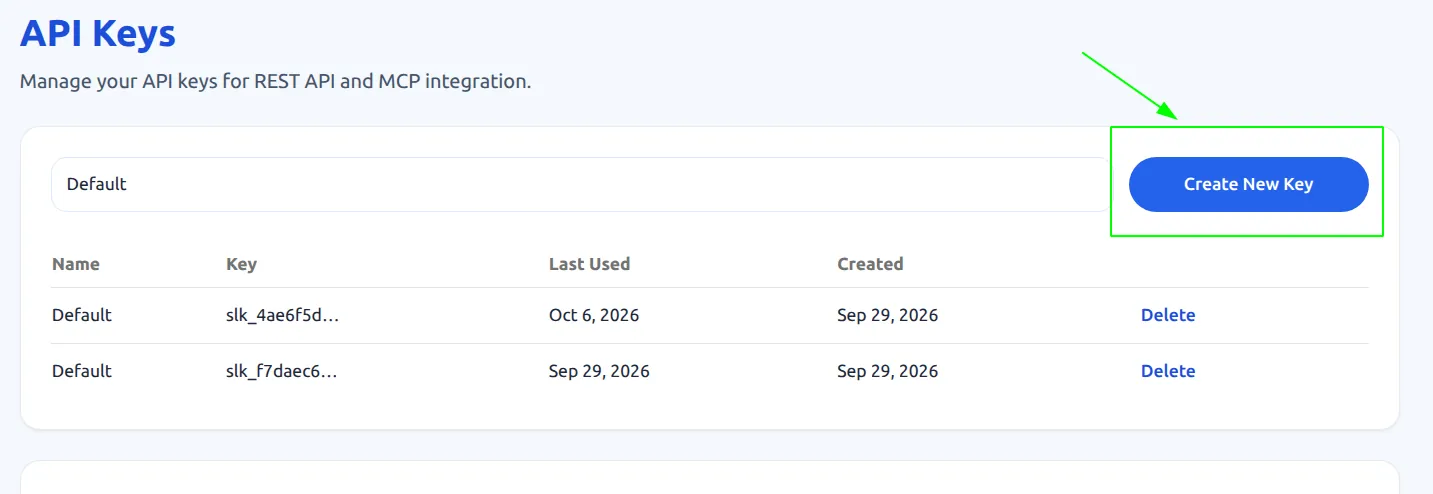
- Open API Keys. If the site asks you to sign in, sign in, then open API Keys again.
- Click Create New Key.
- Copy the key. It starts with slk_. You can see the whole key only once. If you lose it, make a new one.
2. Install the tool, then paste the key
You cannot type the key into the button on this page. The button always saves the words YOUR_API_KEY. You replace those words inside the chat app, after install.
Cursor
- Click Add to Cursor. This website has no box where you can type the key.
- Cursor opens and asks if it may install linkbit. Click Install.
- Cursor saves the words YOUR_API_KEY. Those words are not your key.
- In Cursor, open Customize, then MCPs.
- Find linkbit and click the pencil.
- Delete YOUR_API_KEY and paste the slk_ key you copied. Save.
Claude Code
Copy the command below. Before you run it, replace YOUR_API_KEY with your slk_ key. Then press Enter.
claude mcp add linkbit -e API_KEY=YOUR_API_KEY -e APP_URL=https://linkbit.live -- npx -y linkbit-mcp
Claude Desktop
On your computer, open the file claude_desktop_config.json. Paste the block below. Replace YOUR_API_KEY with your slk_ key. Save the file and restart Claude.
{
  "mcpServers": {
    "linkbit": {
      "command": "npx",
      "args": ["-y", "linkbit-mcp"],
      "env": {
        "APP_URL": "https://linkbit.live",
        "API_KEY": "YOUR_API_KEY"
      }
    }
  }
}3. Try it
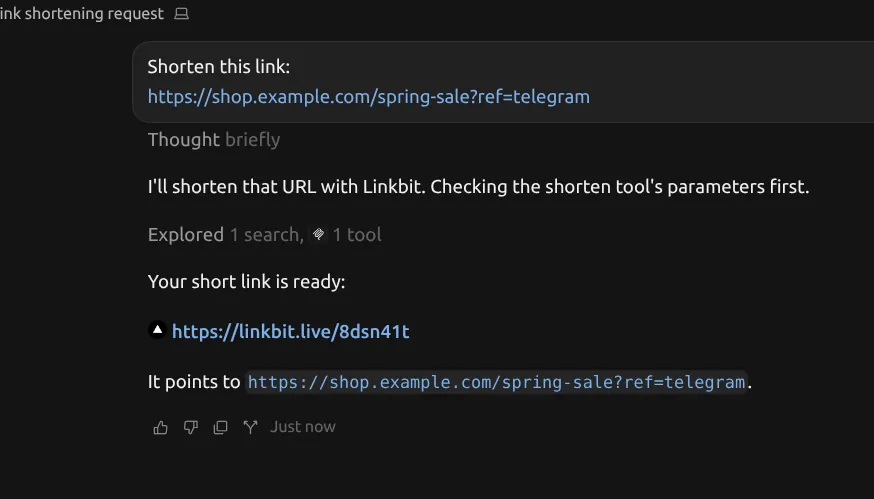
Ask the chat: shorten https://example.com. If the key is still YOUR_API_KEY, the chat says the key is wrong.
The ChatGPT website and n8n do not use this install button. They cannot run this tool on your computer. Use the REST examples and free n8n / GitHub templates on the Docs page with the same slk_ key.
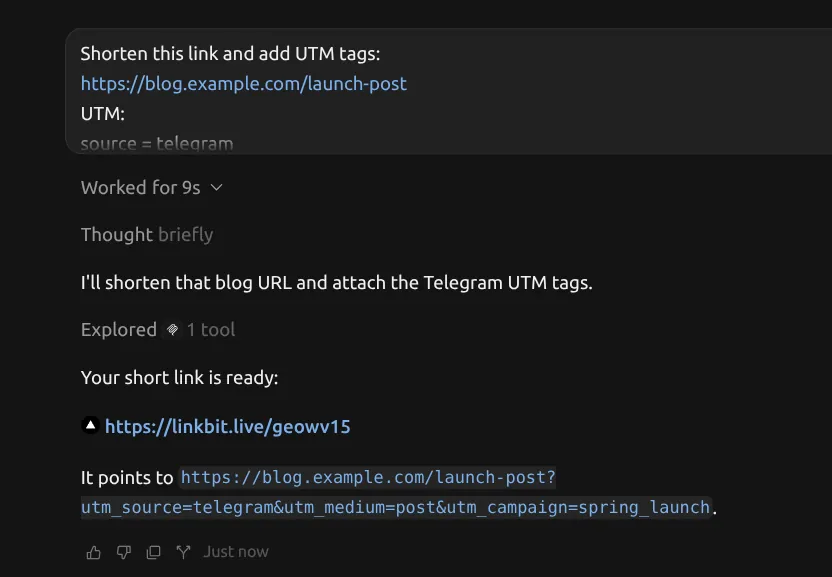
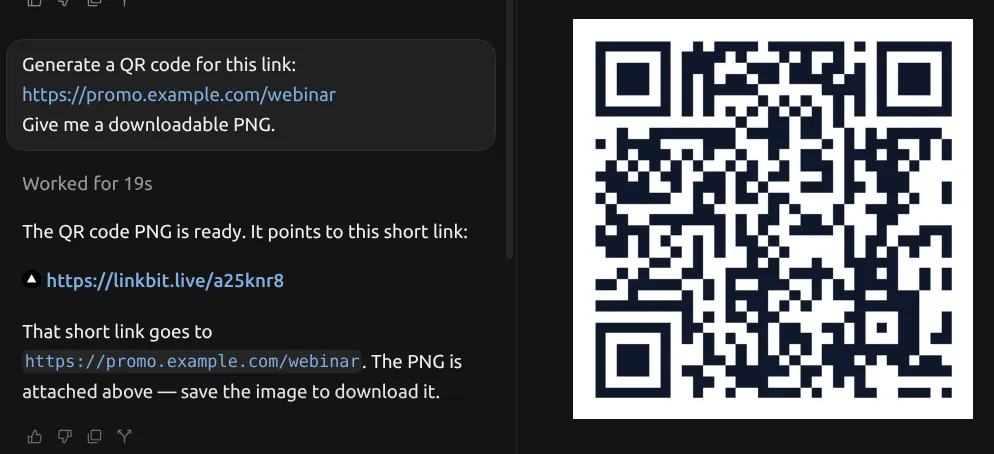
The chat can shorten one link, shorten many, list links, change a link, turn a link off, delete a link, make a QR code, and show click numbers.